




10/17/2026
explore more widgets
screenshots
description
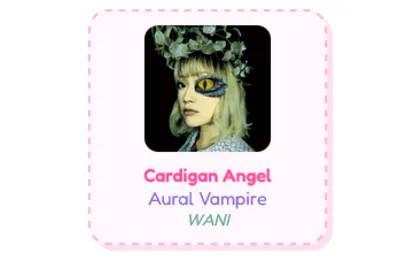
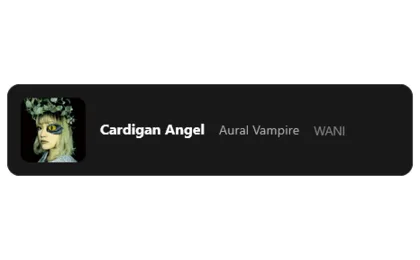
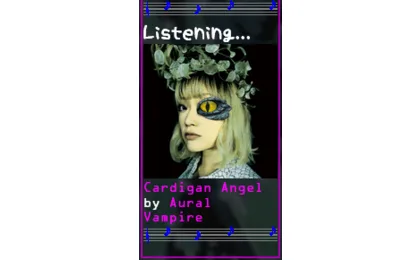
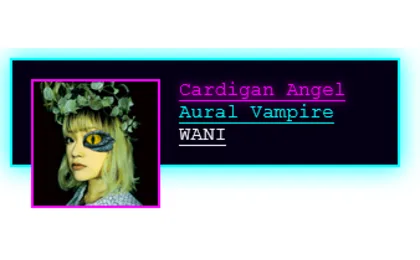
Connects to your Spotify account and displays the track you're listening to, or the last one you listened to. Automatically updates every 10s. Supports fully custom HTML and css. If you have any issues you can add my discord @belt8711
The tutorial shows the css classes that are available for styling, a bunch of examples are shown below.
Todo:
-LOTS of code cleanup
-Refresh timer setting
-Self host options
-Get a logo that wasn't made in ms paint
The tutorial shows the css classes that are available for styling, a bunch of examples are shown below.
Todo:
-LOTS of code cleanup
-Refresh timer setting
-Self host options
-Get a logo that wasn't made in ms paint
reviews
3.8
 5 ratings
5 ratings
Sign in to rate and review this widget.
10/7/2026
how do i get a spotify api access token im so tired kwjsjsjjskddksowk i cant figure it out
9/18/2026
i haven't used it yet, but it appears to work well based on the example images and other reviews. i just wonder if there's an option to make it show the progress through a song? i've seen it done before and i'm just wondering if this has it as an option here too
9/12/2026
It is well worth the wait. When I first got this widget, there was a huge bug, and I had to report it to Belt about it. It took a long time for them to fix the API problem, and I had to use a client key and a secret to have it work properly. Now, I can see the status of what I listen to both on Spotify and my website! ^^
8/20/2026
it is not working as intended for me, for some reason, it always displaying as "Nothing Playing Right Now", even when i'm actually listening to something on Spotify, is that a bug, the API thing offline, i'm doing something wrong or it's just broken code? i want help, and if no one help me, i'm gonna have to lower my rating for this widget to one star 素敵な午後を、クソみたいなインターネットよ お前たちのせいで、私にはまともな友達がほとんどいないし、この「地球」という破綻した惑星で、残りの人生を負け犬として過ごすことになるんだ -イザベラ (Sutekina gogo o, kuso mitaina intānetto yo omaetachi no sei de, watashiniha matomona tomodachi ga hotondo inaishi, kono `chikyū' to iu hatan shita wakusei de, nokori no jinsei o makeinu to shite sugosu koto ni naru nda - izabera Have a lovely afternoon, you s****y internet. Because of you, I have hardly any decent friends, and I’m going to spend the rest of my life as a loser on this broken planet called "Earth." -Isabela)